

What if your morning coffee lasted longer than your average PRODA session? For many NDIS providers, the struggle with multi-factor authentication delays and frequent portal timeouts is a daily reality that stalls productivity. You’ve likely felt the frustration of manual data entry errors during a bulk claim run, or the annoyance of being kicked out of the system just as you’re finishing a task. It’s time to stop fighting the software and start making it work for you.
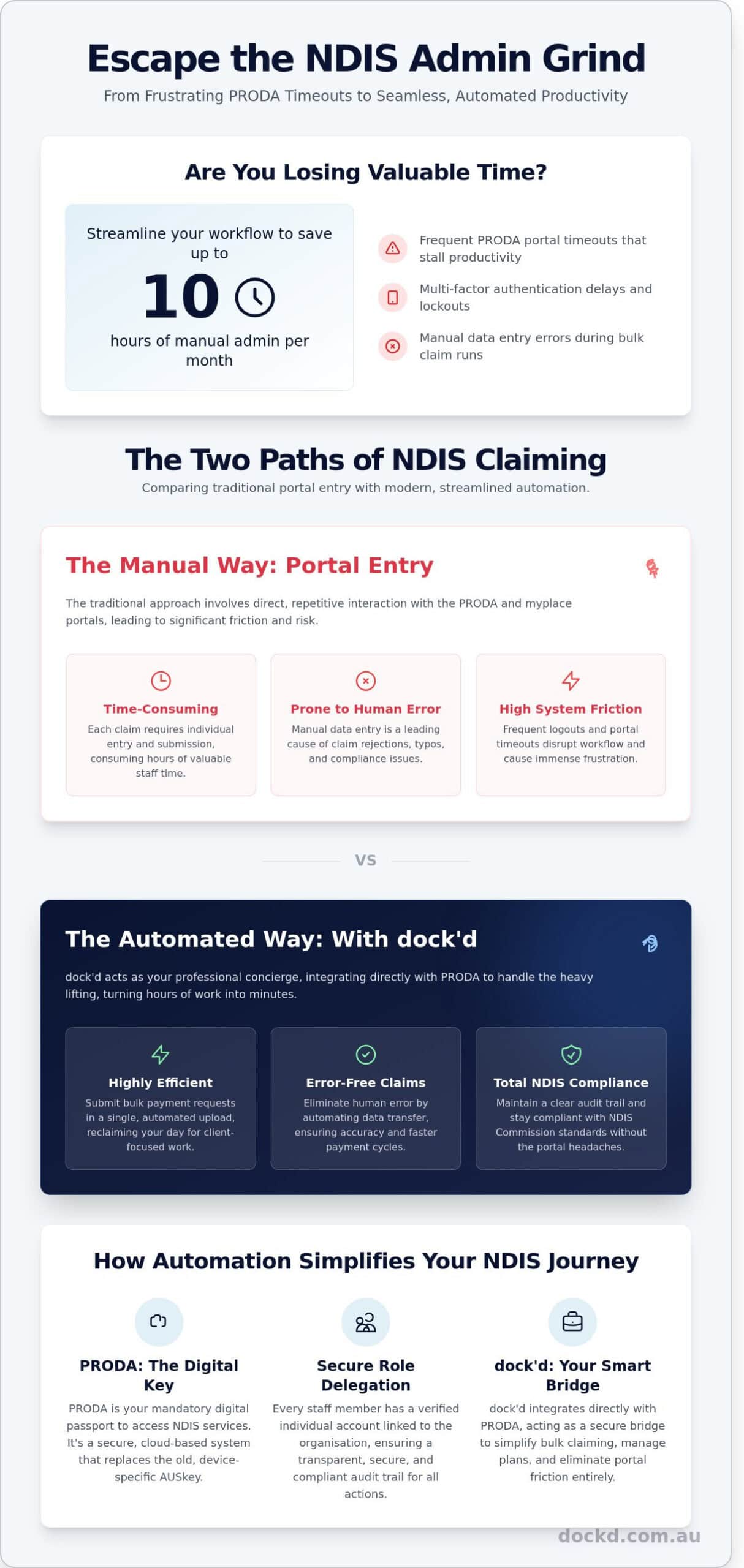
This guide ensures you master the proda log in process while unlocking strategies to automate your NDIS claiming. By streamlining your workflow, you can save up to 10 hours of manual admin each month and eliminate the friction of the myplace provider portal. We’ll show you how to maintain total NDIS compliance while keeping your focus where it belongs: on the water, or simply back with your clients. Your admin, simplified.
Key Takeaways
- Understand why PRODA is the mandatory digital key for your organisation and how to verify your identity to keep NDIS operations running smoothly.
- Navigate the official proda log in process with confidence to ensure secure access to the Services Australia portal every time.
- Resolve common verification errors and browser compatibility issues using our updated 2026 troubleshooting checklist.
- Compare manual portal entry against automated bulk uploading to eliminate human error and reclaim hours of your week.
- Discover how dock’d acts as your professional concierge, integrating directly with PRODA to simplify your entire NDIS administrative journey.
Understanding PRODA: Your Digital Key to the NDIS
PRODA (Provider Digital Access) isn’t just another username and password. It’s the mandatory identity verification system maintained by Services Australia. Think of it as your digital passport for government services. Without a verified account, NDIS providers can’t access the vital systems needed to claim payments or manage participant plans. It’s the secure foundation of your business operations.
Gone are the days of the clunky, device-specific AUSkey system that was phased out in March 2020. PRODA is cloud-based, meaning you can access it from any device with an internet connection. It’s built on a high-security framework to ensure that sensitive data remains protected while providing a seamless user experience. To operate within the National Disability Insurance Scheme, you must master this gateway. It’s the only way to prove who you are when dealing with high-value transactions and private health data.
What can you access with your PRODA log in?
Your proda log in acts as a master key for your business. Once you’re authenticated, you can jump between different government platforms without managing dozens of passwords. Use it to:
- Access the myplace provider portal for NDIS plan management and instant claiming.
- Manage Aged Care Provider Portal tasks and Health Professional Online Services (HPOS).
- Link directly to the Australian Business Register (ABR) to keep your organisational details current.
- Submit bulk payment requests and view participant statements in real-time.
This centralisation simplifies your administrative workflow. It removes the friction of traditional paperwork and lets you focus on delivering quality support to your participants.
Individual vs. Organisation registration
Security starts with the person, not the entity. Every staff member who needs access must first create an individual PRODA account. This process verifies their personal identity against government records like a passport or driver’s licence. It’s a one-time setup that stays with the individual, even if they change employers.
Once the individual is verified, they link to an organisation account. This structure allows the business to delegate specific roles to employees while maintaining a clear audit trail. It’s a critical safety measure for your agency. Don’t share your personal credentials with colleagues. Keep them separate to ensure that every action taken on behalf of the business is transparent and accountable. Using your unique proda log in ensures that your business stays compliant with NDIS Quality and Safeguards Commission standards. This hierarchy keeps your data secure and your business running at full speed.
Step-by-Step: Accessing the PRODA Portal Securely
Secure access is the bedrock of your NDIS operations. Think of your Provider Digital Access (PRODA) account as the secure key to your digital vessel. To begin, navigate to the official Services Australia portal. Avoid search engine ads that might lead to spoofed sites; always verify the “.gov.au” domain suffix in your browser’s address bar. Enter your unique username and password to initiate the proda log in sequence. In 2026, security protocols are tighter than ever, ensuring your data remains protected from unauthorised access.
Once your credentials pass, the system triggers a mandatory Two-Factor Authentication (2FA) check. You’ll receive a 6-digit code via your chosen method. Most providers opt for SMS, but email and hardware tokens remain viable backups. Enter this code immediately. You have exactly 3 attempts before the system locks your account for security reasons. After a successful verification, you’ll land on your dashboard. From here, select the specific service provider portal required for your current task.
Navigating the 2026 log in screen
The 2026 interface is streamlined for speed. If you manage multiple NDIS organisations, you’ll see them listed under your personal profile. This “single sign-on” capability allows you to switch between different entities without logging out. Follow these security protocols to keep your account safe:
- Verify the URL: Ensure the address starts with “proda.servicesaustralia.gov.au” before entering data.
- Manage multiple links: Use the “linked service providers” section to jump between the NDIS Commission and the MyPlace portal seamlessly.
- Device safety: Use browser “remember me” features only on secure, encrypted office devices. Never store credentials on public or shared terminals.
Maintaining a clean digital workspace is just as vital as keeping a clear deck on the water. It prevents friction and keeps your focus on service delivery.
Managing Two-Factor Authentication (2FA)
If you lose access to your mobile device, contact the PRODA helpdesk on 1800 700 199 to update your records. Don’t let staff share a single account. This practice violates NDIS compliance and creates massive security gaps. Every team member must have their own identity linked to the organisation. This ensures every action is tracked and transparent. Just as every sailor needs their own credentials, every NDIS professional needs their own secure proda log in. To keep your administrative tasks moving as smoothly as a boat on glass, simplify your provider logistics with Dockd.
Check your 2FA settings every 90 days to ensure your contact details are current. If you’re operating in areas with poor mobile reception, consider requesting a hardware token. These physical devices generate codes without needing a cellular signal, ensuring you’re never stranded outside your portal when you need to submit a claim or update a participant’s plan.
Troubleshooting: Solving Frequent PRODA Log In Errors
Tech glitches shouldn’t keep you from managing your NDIS participants. Even the most secure systems hit a snag occasionally. Most errors during the proda log in process stem from outdated browser data or mismatched identity records. Stay calm and follow these steps to get back online fast. Your workflow, simplified.
Identity document and verification issues
The “Verification Failed” message usually triggers when your input doesn’t match the source data held by the issuing agency. If your Medicare card has expired or your passport name differs slightly from your PRODA profile, the automated check will stall. Double-check every character. Even a missing middle initial can cause a rejection. If the digital verification fails three times, you must upload secondary documents for manual review. Services Australia staff typically process these manual uploads within 5 business days. Ensure your scans are high-resolution and show all four corners of the document to avoid further delays.
Browser settings and technical glitches
Your browser often holds onto old data that interferes with the secure handshake required for a Official PRODA Login. If the page loops or fails to load, clear your cache and cookies immediately. This is the first step for 90% of technical errors. For optimal performance in 2026, use the latest versions of these browsers:
- Google Chrome: Version 140 or higher.
- Microsoft Edge: Version 140 or higher.
- Apple Safari: Version 19 or higher.
Disable all pop-up blockers. The NDIS portal often opens in a new window or tab after you authenticate. If your blocker is active, the session will appear to hang on a blank screen. If you see a “Service Unavailable” message, check the Services Australia website for scheduled maintenance. These updates usually occur between 11:00 PM Saturday and 5:00 AM Sunday AEST. Plan your administrative tasks around these windows to ensure a smooth proda log in every time.
Account Recovery and Lockouts
Locked out of your account? Don’t call the helpdesk yet. If you’ve entered the wrong password three times, the system will lock your account for 60 minutes. This is an automated security feature. Wait for the timer to expire rather than attempting more guesses. Use the “Forgot Username” or “Forgot Password” links to trigger a reset via your registered email. You’ll need to answer the security questions you set up during registration. Keep these answers in a secure vault to bypass the need for phone support. Secure access is your priority; efficiency is ours.
Manual Portal Entry vs. Automated Claiming: A Comparison
Every manual proda log in session represents a fork in the road for your business. You can either spend your morning navigating the friction of manual line-item entry or you can automate the process and focus on growth. In 2026, the gap between these two methods is wider than ever. Manual entry requires you to type every service date, support item, and claim amount directly into the portal. For a provider with a growing client list, this is a recipe for burnout. Bulk uploading via software allows you to process hundreds of claims in seconds, turning a day-long chore into a three-minute task.
The risk of human error is the primary hazard of the manual route. Copying data from spreadsheets into PRODA is a high-stakes game of chance. A single digit out of place in a NDIS number or a misplaced decimal point leads to an immediate rejection. Integrated platforms solve this by providing real-time error feedback. If a claim doesn’t meet NDIS requirements, the system flags it before it reaches the portal. This proactive approach ensures your data is clean and your claims are successful on the first attempt.
The hidden cost of manual data entry
Manual data entry is a slow leak in your business’s hull. Consider an average provider supporting 20 clients. If each client requires three line items per week, that is 240 manual entries per month. At an average speed of four minutes per entry (including verification), you lose 16 hours every month just to basic admin. Based on industry labour rates of A$45 per hour for administrative staff, you are spending A$720 monthly on a task that yields zero growth.
These manual processes lead to delayed payments and erratic cash flow. If an error occurs, you often won’t know until days later, forcing you to restart the cycle. This creates a backlog that makes NDIS audits incredibly stressful. When your records aren’t digitised, proving compliance requires a frantic search through paper trails and disjointed spreadsheets. Digital systems keep you “audit-ready” at all times, securing your business against regulatory storms. For providers managing over 50 participants, it’s also worth understanding MYOB Advanced pricing to evaluate whether your accounting platform is contributing to these inefficiencies or helping to resolve them.
How API claiming transforms your workflow
The NDIS API is a secure handshake between your internal systems and the government’s portal. It creates a direct line of communication that eliminates the need for a manual proda log in every time you want to submit a claim. By adopting NDIS software for providers, you remove the double-handling of data. Your support logs transform into invoices and then into claims with a few clicks.
This “Set and Forget” workflow is the only way to scale an NDIS business in 2026. Automation handles the logistics, while you handle the care. It transforms your back office from a bottleneck into an engine of efficiency. You gain the freedom to take on more clients without hiring more administrative staff, keeping your overhead low and your margins high. Modern NDIS plan management software eliminates the need for repetitive PRODA uploads and provides real-time budget visibility that keeps participants informed and engaged.
Seamless NDIS Management with dock’d and PRODA
Stop wrestling with complex government portals and manual data entry. dock’d acts as your professional administrative concierge, bridging the gap between your daily operations and the NDIS back-end. We’ve designed our platform to integrate directly with PRODA to simplify your entire workflow. By centralising your rosters, timesheets, and claims into one adventurous interface, we help you reclaim your time. This tech-forward approach ensures you spend less time on paperwork and more time delivering high-quality support to your participants.
Think of dock’d as the steady hand at the helm of your business. Your team can focus on the mission while our software handles the logistics. Every time you perform a proda log in, you should feel confident that your data is ready and accurate. We’ve removed the friction from the traditionally complex world of government systems, providing a secure and reliable anchor for your administrative needs. It’s about unlocking the water for your business, allowing you to navigate the NDIS landscape with total clarity.
Automated bulk claiming features
Efficiency drives growth. dock’d allows you to generate and submit hundreds of claims with a single click, removing the need for manual line-by-line entry. You can track the status of every A$ payment in real-time within the dock’d dashboard. This visibility means you never lose sight of your cash flow. If a claim is rejected, you can address the issue immediately. Our system lets you rectify errors instantly. You won’t need to perform a repetitive proda log in or navigate deep into the government portal to fix minor data mismatches. It’s about keeping your business moving forward without unnecessary delays.
- Generate 500+ claims in seconds using verified timesheet data.
- Monitor claim status from “Submitted” to “Paid” on a single screen.
- Resolve rejections within the dock’d interface to maintain cash flow.
Real-time compliance and NDIS reporting
Maintaining compliance is non-negotiable for modern providers. dock’d ensures every claim you submit matches the current NDIS practice standards. Our platform automatically flags inconsistencies before they become audit risks. You can generate audit-ready reports in seconds, satisfying the strict requirements outlined in our guide to Understanding the NDIS. This level of precision builds trust with auditors and participants alike. Unlock the full potential of your business with a system built for the future of disability services. Book a demo to simplify your PRODA workflow today.
Master Your NDIS Workflow Today
Navigating the PRODA portal shouldn’t feel like steering through a storm. You now have the map to master your proda log in and bypass those common technical errors that stall your daily operations. By moving away from manual portal entry, you reclaim hours previously lost to repetitive admin tasks. The 2026 compliance standards demand a sharper, more reliable approach to NDIS management. Transitioning to a digital-first strategy ensures your business remains secure and agile in a shifting regulatory landscape.
Our platform was designed by Australian NDIS experts to act as your knowledgeable local guide. We provide cloud-based efficiency that keeps you ahead of 2026 requirements while ensuring every claim is accurate. With seamless Xero integration, you gain total financial control without the heavy lifting of traditional paperwork. It’s time to unlock a smoother way of working and leave the friction of manual systems behind. Your NDIS admin, simplified.
Simplify your NDIS admin and automate your PRODA claims with dock’d
Set your course for a more efficient future and spend more time focused on delivering the high-quality support your participants deserve.
Frequently Asked Questions
How do I reset my PRODA password if I am locked out?
Reset your password via the “Forgot password” link on the login screen. You’ll need your username and the answers to your security questions to proceed. If you’re locked out after 5 failed attempts, call the helpdesk on 1800 700 199. It’s the fastest way to regain access and keep your NDIS business on course without unnecessary delays.
Can multiple staff members use the same PRODA log in?
Never share your account; every staff member requires an individual account for compliance. Sharing credentials violates Services Australia terms and compromises your NDIS data security. Link each employee’s unique identity to your organisation record instead. This creates a clear audit trail for every transaction and ensures your business remains professional and secure while you navigate your daily tasks.
What identity documents do I need to register for PRODA in 2026?
You must provide 3 valid Australian identity documents to verify your account in 2026. Most providers use an Australian passport, a driver licence, and a Medicare card to reach the required level of assurance. Ensure every name matches exactly across all documents to avoid a 48 hour manual review period. Your identity is the foundation of your digital security on the platform.
Why does my PRODA session keep timing out?
Your session times out after 30 minutes of inactivity to protect participant privacy and sensitive data. This automated logout prevents unauthorised users from accessing your NDIS portal if you leave your device unattended in a public or shared space. Simply refresh the page to start a new session. It’s a small security step that ensures your business stays compliant and safe.
How do I link my NDIS organisation to my individual PRODA account?
Link your organisation by selecting the “Organisations” tab after you complete your proda log in. Enter the ABN and follow the prompts to associate your personal profile with the business entity. This connection allows you to act on behalf of the NDIS provider for claims and registrations. It’s your professional access, simplified so you can spend less time on paperwork and more time on what matters.
Is it safe to connect my NDIS software to my PRODA account?
It’s highly secure to connect approved NDIS software to your account using the PRODA API. This encrypted link automates claim processing and can reduce manual data entry by 15 hours every month. Ensure your software vendor is registered and compliant with Services Australia standards. It’s the tech-forward way to manage your operation and focus more on your participants.
What is the difference between myplace and PRODA?
PRODA is your digital identity, whereas myplace is the portal where you manage NDIS claims and participant plans. Think of your proda log in as the secure key that unlocks the door to the myplace room. You can’t enter the portal without first passing through the PRODA security gate. This two-step process keeps the entire NDIS ecosystem safe for everyone.
How often do I need to update my PRODA password?
Update your PRODA password every 90 days to maintain account security and protect your data. The system will prompt you to choose a new, complex password before the current one expires. Regular updates minimise the risk of unauthorised access to sensitive NDIS records and keep your digital identity secure. Stay ahead of the curve by setting a quarterly reminder for your team.