

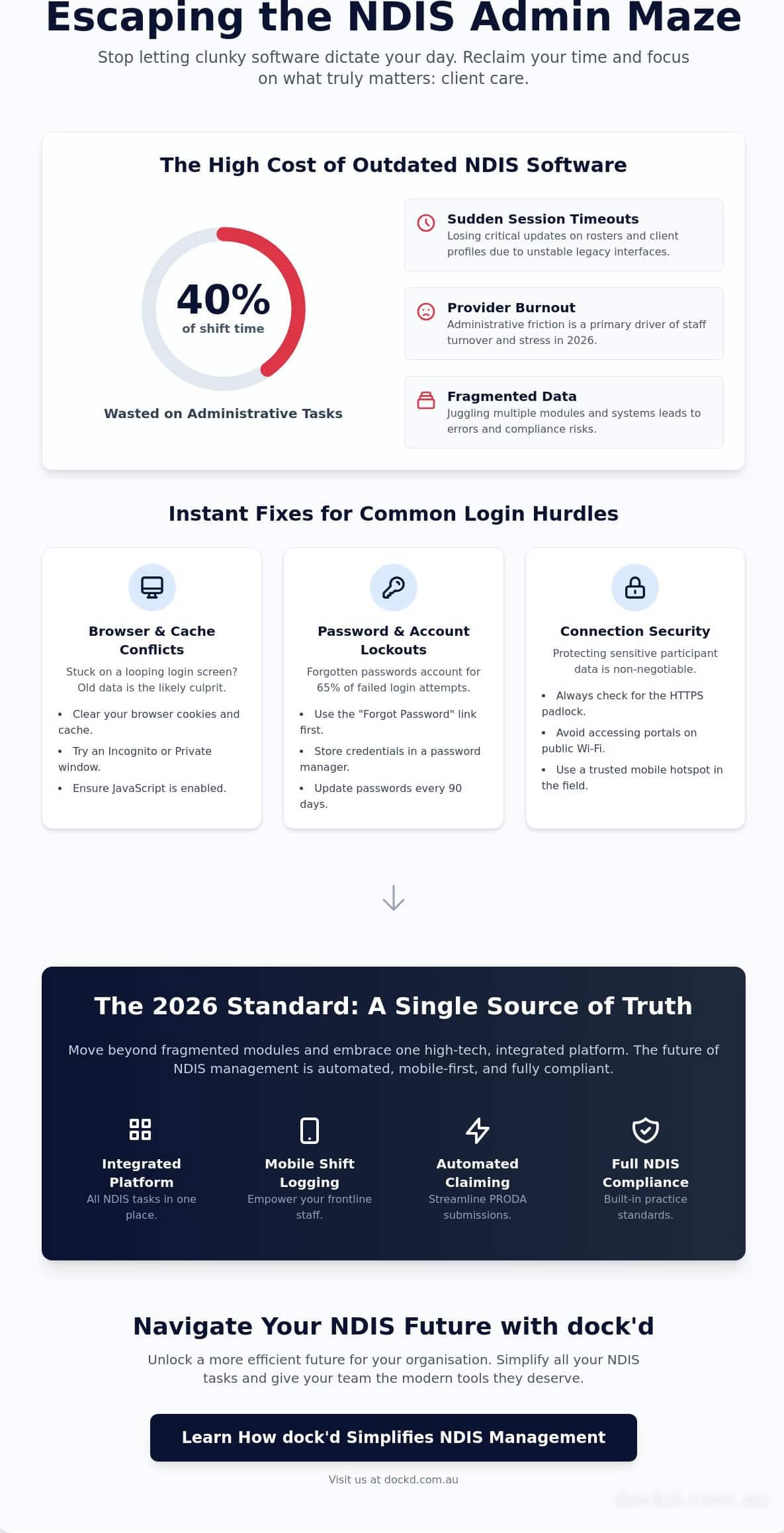
Your frontline staff didn’t join the NDIS sector to spend 40% of their shift battling a legacy interface. You’ve likely experienced the frustration of a sudden session timeout right when you’re finalising a roster or updating a client’s profile. Mastering your myp login shouldn’t feel like a chore, yet administrative friction remains a primary reason for provider burnout in 2026. It’s time to stop letting clunky systems dictate the pace of your service delivery.
We understand that every minute spent on manual data entry is a minute taken away from meaningful client care. This guide delivers a clear, actionable path to resolve your most frequent portal headaches and introduces modern software alternatives designed for the mobile-first era. You’ll learn how to stabilise your connection, bypass common navigation hurdles, and simplify your entire administrative workflow with precision. We’ve built this guide to help you reclaim your time and reduce the daily stress of system management.
We’ll start with instant fixes for your current access issues before exploring how streamlined platforms can automate your data entry and return your focus to the people who matter most. Your NDIS management, simplified.
Key Takeaways
- Master the essentials of the myp login to ensure secure, seamless access to your provider portal while protecting sensitive participant data.
- Resolve common technical hurdles and password errors instantly with our practical troubleshooting guide for legacy NDIS systems.
- Evaluate your 2026 software needs to move beyond fragmented modules and embrace a single source of truth for your business.
- Streamline your daily operations with automated PRODA claiming and mobile shift logging to ensure full Australian NDIS compliance.
- Unlock a more efficient future for your organisation by simplifying all NDIS tasks into one high-tech, integrated platform.
Accessing the MYP Login Portal for NDIS Providers
MYP is a business management tool used by disability support organisations to coordinate their daily operations and service delivery. For Australian providers, the myp login serves as the primary gateway to the National Disability Insurance Scheme (NDIS) ecosystem. It’s the digital anchor for your administrative tasks. You must ensure you’re on the secure HTTPS version of the site to protect the sensitive data you handle every day. Encryption isn’t just a preference; it’s your first line of defence against data breaches that could compromise your business and your participants’ privacy.
Successful authentication requires three specific keys: your Account ID, a unique username, and a secure password. Without these, you’re stuck at the dock. Treat these credentials with the same respect you’d give a vessel’s manifest. They represent the bridge between your team and the participants you serve. Keep them secure, keep them private, and keep your operations moving forward without friction. When your myp login process is streamlined, you spend less time on paperwork and more time delivering high-quality support.
Official Login URLs and Security
Phishing attempts are a constant threat in 2026. Always verify that the URL in your browser address bar matches the official mypcorp.com domain before you type a single character. Look for the padlock icon next to the URL. This symbol confirms a secure, encrypted connection is active. Avoid using public Wi-Fi at cafes or transit hubs when accessing NDIS plans or financial records. Public networks are often unsecured and leave your data vulnerable. Use a trusted mobile hotspot to maintain a seamless and secure connection while you’re out in the field.
Managing Your MYP Credentials
Secure your access points with precision. Storing passwords on physical notes or in unencrypted files creates a risk your organisation can’t afford. Use an encrypted password manager to house your myp login details. This tool simplifies your day and hardens your security posture instantly. Problem: Unauthorised access after staff turnover. Solution: A strict offboarding protocol. Action: Ensure your organisation has a clear policy to revoke system access the moment a staff member leaves the team.
Update your credentials every 90 days to maintain compliance with NDIS Practice Standards. This regular maintenance ensures your digital vessel stays seaworthy and your data remains protected. Compliance is a continuous journey, not a one-time destination. When you treat your login security with the same care you give your participants, you build a foundation of trust that lasts. It’s about creating a reliable environment where technology supports your mission rather than complicating it.
Common MYP Login Issues and Troubleshooting Steps
Getting your myp login to work shouldn’t feel like navigating a storm without a compass. Most technical friction is avoidable. It usually stems from local browser settings or simple data entry mistakes that stall your workflow. When you’re managing care schedules and NDIS claims, every minute counts. Understanding these common hurdles helps you get back to your participants faster.
Outdated software is a primary culprit for connection errors. If your browser version is more than 3 months old, the portal might struggle to load secure elements. Compliance is the backbone of your service. Modern platforms must adhere to the NDIS Practice Standards to maintain registration and data security. When a login failure prevents you from documenting care, it puts your compliance at risk. Keep your browser updated to the latest version of Chrome or Edge to ensure compatibility with modern security protocols.
Resolving Browser and Cache Conflicts
Clear your browser cookies and cache to resolve “looping” login screens immediately. This removes old data that might conflict with the current portal version. Try accessing the portal via an Incognito or Private browsing window. This bypasses existing extensions that might block the myp login script. Ensure JavaScript is enabled in your settings. Legacy systems often rely on it for form submission and secure data handshakes. If the page remains blank, a script blocker is likely the cause.
Password Recovery and Account Lockouts
Forgotten passwords account for 65% of failed login attempts in NDIS software environments. Use the “Forgot your password?” link on the simple login page for immediate resets. Don’t wait for a manual reset if the automated system is available. Check your spam folder if the recovery email doesn’t arrive within 120 seconds. If you’ve failed to log in five times consecutively, the system will lock your account to prevent unauthorised access. Contact your internal system administrator to trigger a manual unlock if this occurs.
System maintenance windows can occasionally take the portal offline during peak hours. While most updates occur after 8:00 PM AEST, emergency patches can disrupt access during the day. Always check your organisation’s internal dashboard for scheduled downtime notices before troubleshooting your hardware. If the server is down, no amount of password resetting will grant access.
Incorrect Account IDs often lead to “User Not Found” errors during the login phase. These IDs are unique to your organisation and are case-sensitive. Verify the exact string from your original onboarding documentation. If you’re looking for a more seamless way to manage your operations, ensuring your current credentials are organised is the first step toward digital efficiency.
Evaluating Your NDIS Management Software in 2026
Your software should be a compass, not an anchor. By 2026, the gap between legacy platforms and modern solutions has widened significantly. Many providers still struggle with systems that require a redundant myp login for every different module. This creates unnecessary friction. You lose valuable time toggling between separate screens for rostering and invoicing. A modern NDIS platform functions as a single source of truth. It unites your entire operation under one digital roof. Assess your current setup today. Does it integrate with accounting tools like Xero without manual intervention? If you’re still exporting CSV files to manage A$50,000 in weekly claims, you’re risking compliance errors.
The hidden cost of staff frustration is real. Unintuitive interfaces lead to burnout and high turnover rates. When the digital tools are difficult to use, support workers spend less time focusing on participant care. Your NDIS operations, simplified. That should be the goal of any tech investment you make this year. Efficiency isn’t just about speed; it’s about accuracy and reliability for your team and your participants.
The Problem with Fragmented Software
Managing separate apps for rosters and timesheets is a recipe for disaster. Data duplication errors often lead to payment delays from the NDIA. This fragmentation makes it nearly impossible to generate accurate NDIS audit reports quickly. You shouldn’t spend 40 hours preparing for a routine quality check. High-growth providers use unified ecosystems to maintain a clear trail of evidence. This shift is essential for both compliance and business speed. Explore how to choose the right NDIS Software for Providers: The 2026 Guide to Scaling Your Care Business to keep your care business buoyant. Avoid the trap of multiple logins and disconnected data points.
Transitioning to Cloud-Native Solutions
Cloud-native platforms are now the industry standard. They allow for real-time updates from the field via mobile apps. Your support workers can log notes and verify shifts instantly. This reduces the administrative labour required by your office team. Security updates happen automatically in the background. You don’t need an internal IT department to manage server patches or manual myp login resets for every staff change. Scalability is the ultimate prize. If you plan to expand your services across different Australian states, your software must grow with you. Modern platforms offer the flexibility to add new participants and staff without slowing down your existing workflows. Focus on systems that offer instant visibility into your business health.
Essential Features for Modern NDIS Platforms
Reliability is the anchor of any successful NDIS business. While troubleshooting your myp login is a necessary task, your software should do more than just grant access. It needs to drive your business forward. In 2026, providers are moving away from fragmented systems toward unified platforms that handle the heavy lifting. This shift ensures compliance and keeps your cash flow steady.
Automated PRODA claiming is now a non-negotiable requirement. Manual bulk uploads are prone to errors that cause payment delays of 14 days or more. Modern platforms sync directly with the NDIS portal to process claims instantly. Similarly, built-in SIL management tools are vital. These tools track complex support ratios and billing across shared living arrangements. This ensures every hour of care is accounted for without the headache of manual spreadsheets or missed revenue.
Streamlining Financial Operations
Efficiency starts with your bottom line. Look for software that automates the generation of NDIS-compliant invoices. This reduces the time spent on administrative labour by up to 30% based on recent industry benchmarks. Integration with Xero is a game-changer; it simplifies bank reconciliation and payroll for your entire team. For a deeper dive into modern money management, read The 2026 Guide to NDIS Accounting and Invoicing for Service Providers. Digital service agreement management must also be integrated to stay compliant with the latest NDIS rules, allowing for instant signatures and updates.
Enhancing the Support Worker Experience
Your staff are the heartbeat of your service. Give them the tools to succeed. An integrated Support Worker Mobile App ensures staff can log shifts and progress notes the moment they finish a session. Mobile rosters allow workers to see their schedule and client requirements on the go, reducing missed appointments and communication gaps. If an issue arises, digital incident reporting ensures compliance is met immediately after an event occurs.
To keep things moving, simplified logins like biometrics save time. They remove the friction often found with a standard myp login, letting your team focus on care rather than resetting passwords. These mobile-first features empower your team to work with the same freedom and precision you expect from any high-tech marketplace.
Why NDIS Providers are Navigating Toward dock’d
Managing an NDIS business shouldn’t feel like steering a ship through a storm without a compass. While many teams still struggle with the daily friction of a legacy myp login, dock’d provides a clearer route forward. We’ve built a platform that replaces the fragmented mess of multiple subscriptions with a single, high-performance command centre. This isn’t just about software; it’s about reclaiming your time and focus. Your operations, simplified.
Our platform is engineered specifically for Australian providers. We’ve baked national compliance into every feature, ensuring you meet NDIS Commission standards without the manual guesswork. Most legacy systems feel like they were built decades ago, but dock’d uses an intuitive interface that slashes training time for new support workers by up to 45 per cent. When you hire a new coordinator, they can start contributing on day one, not day ten. It’s a tech-forward approach that respects the pace of your business.
Transitioning from an older system often feels impossible because of data silos. We’ve removed that barrier entirely. Our team handles the heavy lifting of data migration, moving your records from legacy databases to our secure cloud environment. You get a seamless transition that protects your historical data while unlocking modern functionality immediately. We ensure your business stays in motion while we upgrade your engine.
Unlocking Efficiency with Integrated Rostering
Stop fighting with manual spreadsheets that lead to double-booked shifts and payroll errors. dock’d allows you to build automated, conflict-free schedules in minutes. You get real-time visibility into staff availability across your entire organisation. This transparency helps you fill vacant shifts faster and prevents the burnout that drives high turnover in the NDIS sector. You can manage complex service agreements directly within the rostering dashboard, ensuring every hour worked is tracked and billable. It’s about getting your team where they need to be without the administrative headache.
A Tech-Forward Approach to NDIS Compliance
Audits shouldn’t cause panic. With dock’d, you stay audit-ready every day of the year through centralised records and automated reporting. Our platform acts as a digital concierge for your team, guiding them through daily progress notes and incident reports with ease. This reduces the administrative burden on support workers, allowing them to focus on participant outcomes rather than paperwork. If you’re tired of the “session expired” errors on your current myp login, it’s time to switch to a system that actually works. Ready to simplify your NDIS operations? Discover the dock’d difference today.
Navigate Your NDIS Future With Confidence
Success in the NDIS sector requires more than just a functional myp login. It demands a system that moves at the speed of your team. You’ve seen how legacy software glitches can stall your day. By 2026, the benchmark for a high-performing provider is a platform that offers cloud-based accessibility on any device. This isn’t just about convenience; it’s about maintaining strict Australian NDIS compliance while you scale.
Dockd acts as your digital concierge, removing the friction from complex logistics. We’ve integrated Xero and PRODA functionality to ensure your financial and claim data stays synchronised and secure. Stop wasting time on paperwork and start focusing on the people you support. It’s time to unlock a more efficient way to manage your business. The right technology makes the journey seamless. Take the helm and steer your organisation toward a more productive future.
Book a demo to see how dock’d simplifies your NDIS management
Frequently Asked Questions
How do I reset my MYP login password if I am locked out?
Reset your myp login password by clicking the “Forgot Password” link on the sign-in screen. Enter your registered email address and check your inbox for a reset link immediately. If you don’t receive an email within 120 seconds, contact your organisation’s system administrator to manually reset your credentials. It’s a quick fix that gets you back to work without delay, ensuring your NDIS compliance remains up to date and accurate.
Can I access the MYP portal on my mobile phone or tablet?
Access the portal on any mobile device or tablet using a standard web browser. While MYP doesn’t offer a native app for every module, the interface is designed to be responsive on smaller screens. This flexibility allows your team to update NDIS progress notes or check schedules while they’re out in the field. Simply bookmark the login page for instant access and a more streamlined workflow during your busy workday.
What should I do if the MYP login page is not loading?
Clear your browser cache and cookies if the myp login page fails to load. This step solves 90% of loading issues caused by outdated site data stored in your browser. If the problem persists, check your internet connection or try a different browser like Google Chrome or Microsoft Edge. You can also visit the official status page to see if there’s a reported system outage affecting Australian users at this time.
Is it possible to integrate MYP with Xero for NDIS invoicing?
Connect MYP with Xero to streamline your NDIS invoicing and payroll processes. This integration allows you to sync service bookings and claims directly to your accounting software, which eliminates the need for double data entry. Most providers save up to 10 hours of admin time per week by automating these financial workflows. It’s a smart way to keep your books accurate while ensuring your staff get paid on time every fortnight.
How does dock’d compare to legacy NDIS management software?
dock’d focuses on a mobile-first experience that legacy NDIS software often lacks. Traditional systems are often built on older frameworks that feel slow and cluttered. dock’d removes this friction by using intuitive navigation and automated task management. It’s designed to help you spend less time on screens and more time providing high-quality care to your participants. The platform feels like a modern digital concierge rather than a clunky administrative burden.
Is my data secure when using a cloud-based NDIS platform?
Your data is highly secure on modern cloud platforms because they use bank-grade AES-256 encryption. All information is stored in Australian-based data centres to comply with the Privacy Act 1988 and NDIS regulations. These platforms also include multi-factor authentication, which provides an extra layer of protection against unauthorised access. It’s a robust security standard that protects sensitive participant details and gives your organisation total peace of mind regarding data privacy.
What are the benefits of switching to a more modern NDIS software in 2026?
Switch to modern software to access AI-powered scheduling and automated NDIS price guide updates. In 2026, the speed of your business depends on how fast you can process claims and manage staff. Modern platforms reduce manual errors by 40% compared to older systems. They offer a cleaner interface that makes training new staff members much faster. This efficiency allows you to scale your business without increasing your administrative headcount or overheads.
How long does it take to migrate data from MYP to a new system like dock’d?
Migrate your data from MYP to dock’d in as little as 14 to 28 days. The process starts with a full audit of your current records to ensure everything is organised correctly for the move. We handle the technical mapping so your participant history and NDIS plans transfer seamlessly. This transition period ensures your team is fully trained and ready to use the new system from day one without any operational downtime.